Google Sheets is a powerful tool for creating and analyzing data. One of the most effective ways to visualize your data is by using pie charts. Pie charts are a great way to show proportions and percentages in a clear and easy-to-understand format. In this article, we will walk you through the steps to create a pie chart in Google Sheets.
1. First, open your Google Sheets document and select the data you want to visualize in a pie chart. Make sure your data is arranged in a way that makes sense for a pie chart, such as a list of categories and their corresponding values.
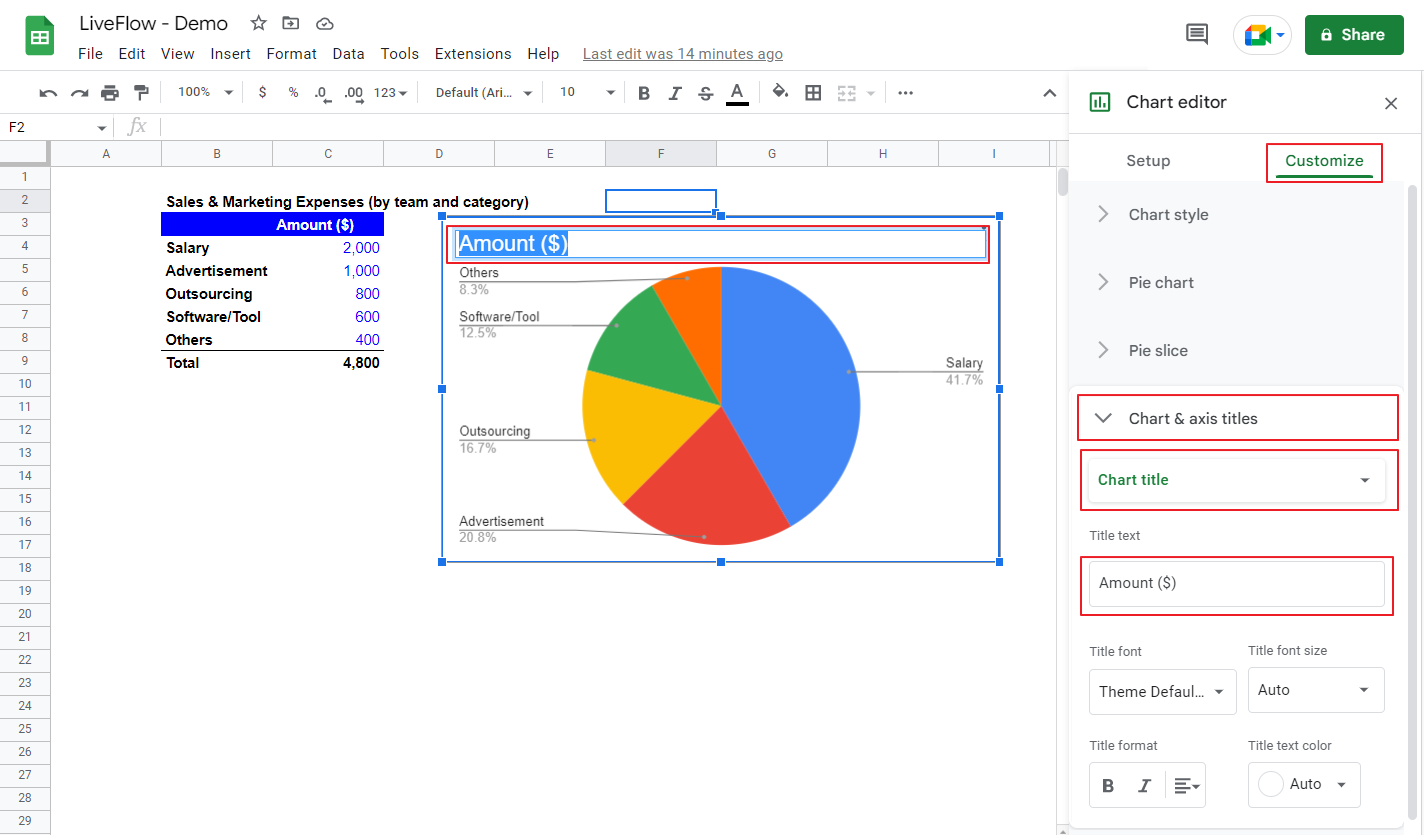
2. Next, click on the “Insert” menu at the top of the screen and select “Chart.” This will open a sidebar where you can choose the type of chart you want to create. Select “Pie chart” from the list of options.
3. A new window will appear with options for customizing your pie chart. You can adjust the chart title, colors, labels, and other settings to make your chart look exactly how you want it. Once you are satisfied with the settings, click “Insert” to add the chart to your Google Sheets document.
4. Your pie chart will now appear in your document, showing the proportions of your data in a visually appealing way. You can resize and move the chart as needed to fit your document layout.
5. To further customize your pie chart, you can click on it to bring up additional editing options. You can change the chart type, add data labels, adjust the legend, and make other changes to enhance the appearance and clarity of your chart.
By following these simple steps, you can easily create a pie chart in Google Sheets to visualize your data and make it easier to understand at a glance. Pie charts are a powerful tool for presenting information in a clear and concise manner, making them a valuable asset in any data analysis or presentation.
With just a few clicks, you can transform your raw data into a visually appealing and informative pie chart that will help you communicate your findings and insights more effectively. So next time you need to present data in a compelling way, consider using a pie chart in Google Sheets to make your information stand out.